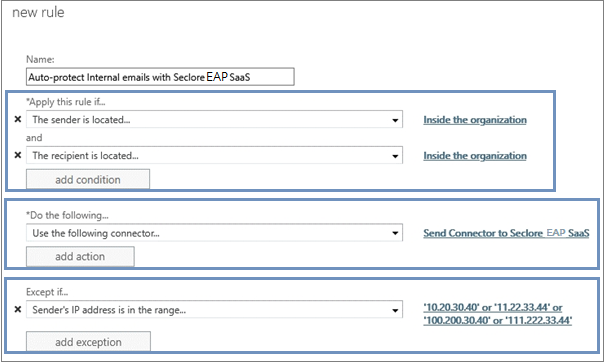
Name the rule 'Auto-protect Internal emails with Seclore EAP SaaS'
Make the following selections:
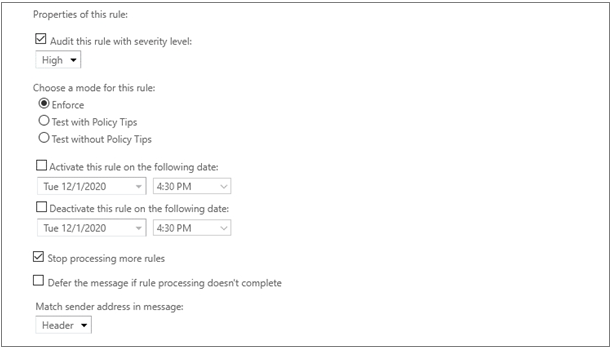
Note: The IP addresses shown here are for representation purpose only. For security reasons, Seclore will share it separately with you.
Proceed to Creating rules in Email Auto-Protector
Go back to Configuring a Receive Connector